Getting Started
Installation and quick start
Install StoryLoop, connect GitHub, and see your first pull request reviewed against its acceptance criteria.
Installation
- 1
Find StoryLoop on the Atlassian Marketplace and click Try it free. StoryLoop works with Jira Cloud.
- 2
Grant the requested permissions. StoryLoop needs to read and write Jira issue data, and to call the GitHub API.
- 3
Open any issue: the Acceptance Criteria panel appears below the description.
 Open StoryLoop on the Atlassian Marketplace ↗
Quick start
From installation to your first ticked-off acceptance criterion in five steps.
- 1
Connect GitHub. Add a personal access token and connect your repositories (see GitHub integration).
- 2
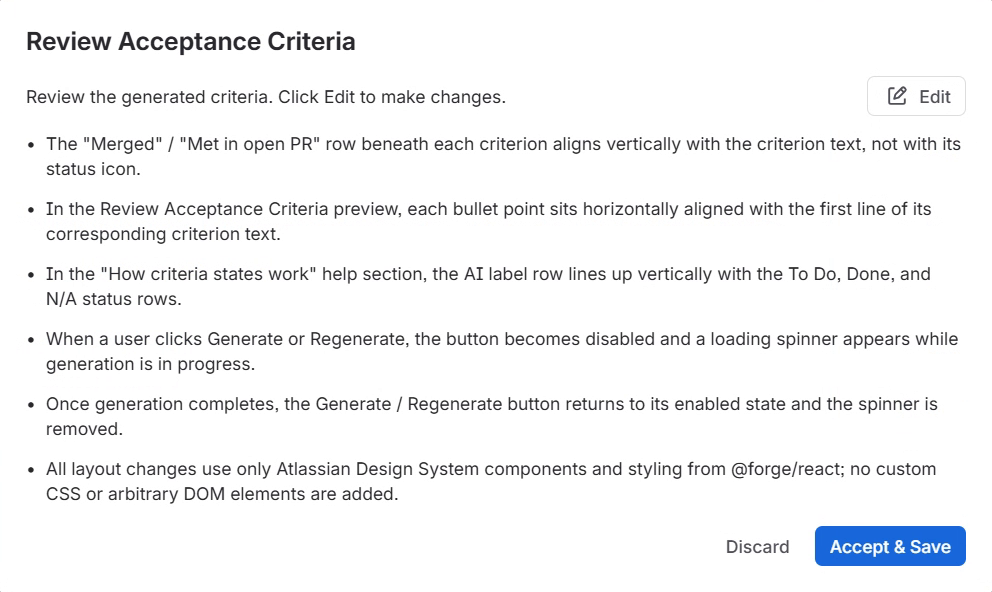
Generate criteria. Open an issue with a description and click Generate in the Acceptance Criteria panel. Review the criteria and click Accept & Save.
- 3
Open a pull request whose title, branch name or description contains the issue key, for example
PROJ-123. - 4
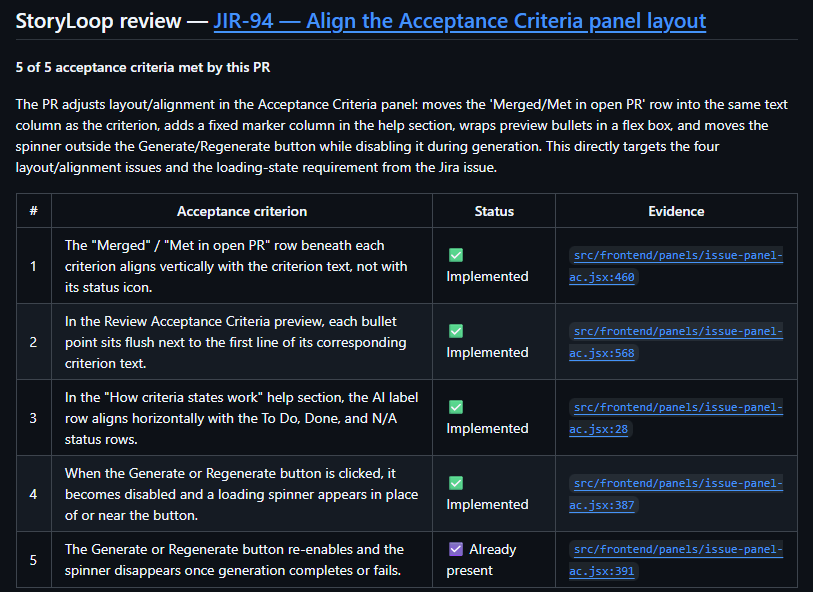
Get the review. Within a minute or two, StoryLoop posts a review and a StoryLoop check on the pull request, and shows in Jira which criteria it meets.
- 5
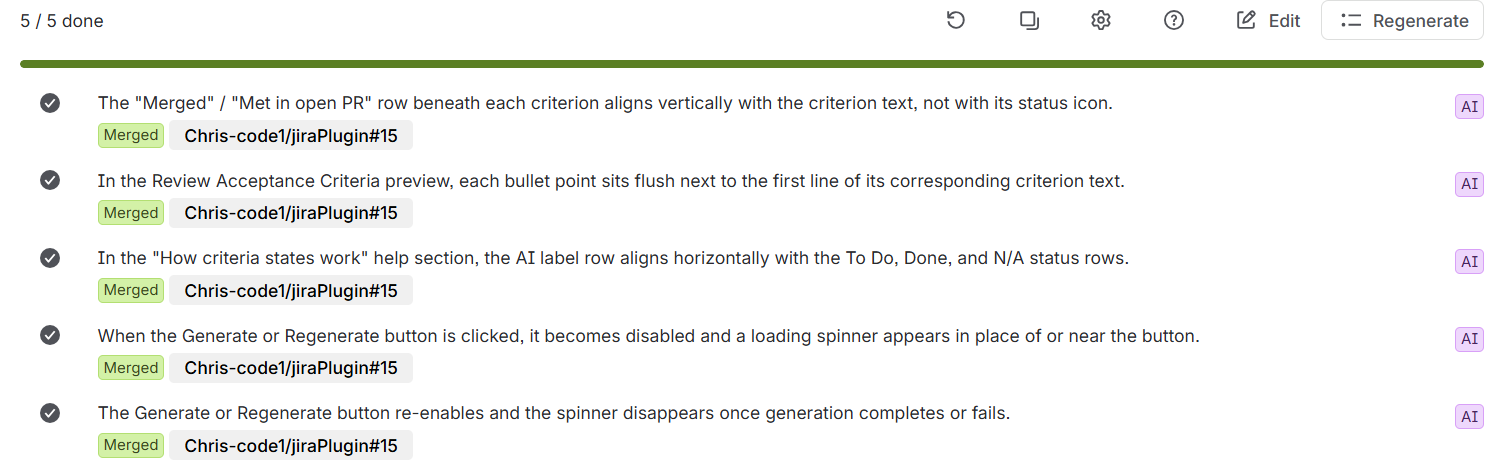
Merge the pull request. The criteria it met become Done.
Project settings
Project administrators find StoryLoop under Project settings → Apps → StoryLoop, or by clicking the gear icon in the Acceptance Criteria panel. There are three tabs: