 StoryCraft Documentation
Sprint-ready Jira issues in your team's own format
StoryCraft is an AI refinement partner in the Jira issue view. It turns rough notes into stories, bugs and epics in your team's template, asks the questions a good product owner would, and splits epics into stories. Nothing changes in Jira until you review it.
See it in action
From rough notes to a story in your team's template, a Grill Me interview, and an epic split into stories.
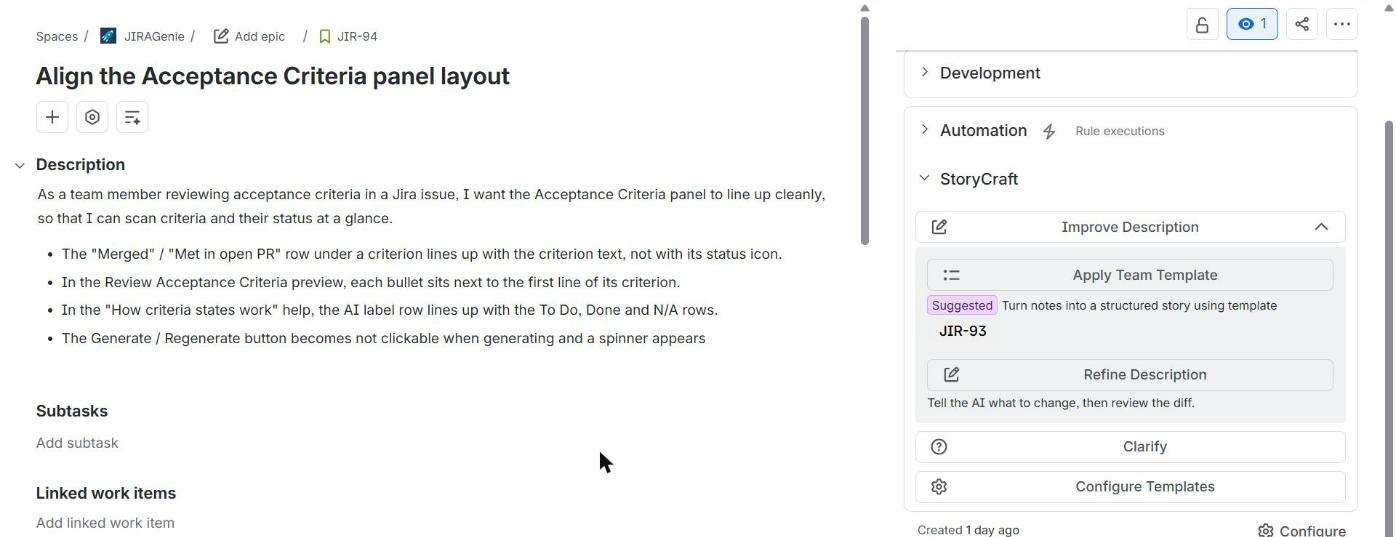
Everything starts in the issue panel
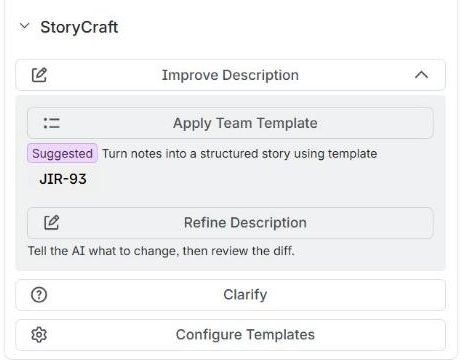
Open any issue and expand the StoryCraft section on the right. Each button opens a dialog where you review the AI's work before anything is saved.
- Improve Description
Apply Team Template turns notes into a structured issue. Refine Description changes it with a plain-language instruction. Both show a diff first.
- Clarify
Grill me interviews you about the gaps in the issue. Ask a question gets an answer about the issue, such as an INVEST check.
- Break into Stories
On epics only: proposes thin, vertically sliced stories and creates the ones you approve.
- Configure Templates
Opens the StoryCraft project settings: templates, Project Context, glossary and analytics.
Looking for pull request checks?
Key features
Your team template
Turn rough notes into a story, bug, epic or task in your team's format. Start from one of 16 ready-made templates or use any existing issue.
Refine with a diff
Describe a change in plain language and review it word by word. Refine again, undo, or edit the text yourself before you apply it.
Grill Me
Up to eight targeted questions, each with a suggested answer, and a readiness score. Apply the answers to the description or post them as a comment.
Ask anything about the issue
Run an INVEST check or ask what is missing. Turn the feedback into a refinement with one click.
Epics into stories
Get up to ten proposed stories written in your Story template. Work that existing child issues cover is skipped. Edit, untick, then create them in one step.
Your project's language
A Project Context document and a glossary feed every AI request. The panel flags words your team wants to avoid.
Privacy and data security
- StoryCraft runs on Atlassian Forge and uses Atlassian-hosted AI. It does not send your issues to a third-party AI provider or to servers of ours.
- The AI runs only when someone clicks a StoryCraft action. Results are previews: nothing is written to Jira until someone clicks Apply Changes, Create, or Post Q&A as comment.
- Templates, Project Context, the glossary and aggregate usage counts are stored in Atlassian's Forge storage.
- We do not use your Jira data, Project Context or glossary to train AI models.
Read the full Privacy Policy.