Using StoryCraft
Write, refine and split issues
Every action opens a dialog with a preview. You decide what is saved to Jira.
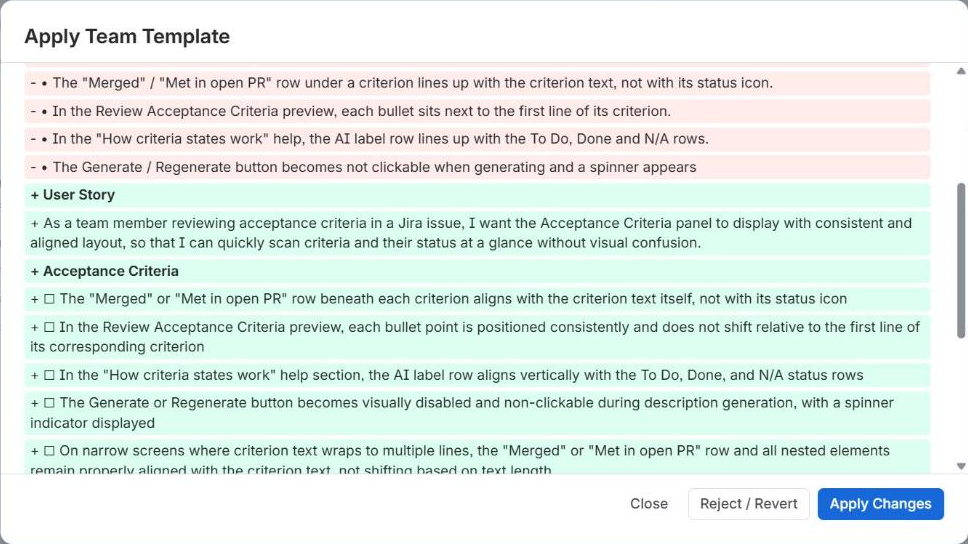
Apply Team Template
Turns rough notes in the description into a structured issue that follows the template for its issue type. StoryCraft also uses the example issue, the Project Context and the glossary.
- 1
Save a few lines of notes in the issue description.
- 2
In the StoryCraft panel, click Improve Description, then Apply Team Template. The panel shows which template issue it will use, or Set a team template if there is none.
- 3
Review the result. Result shows exactly what will be saved; Diff compares it with the current description.
- 4
Adjust it with an instruction under Refine further, or with Edit text. Undo last change steps back one refinement.
- 5
Click Apply Changes to save the description, or Close and confirm Discard & Close to leave it unchanged.
Add a description first
Refine Description
Changes an existing description with a plain-language instruction. StoryCraft marks it as Suggested when the description already has headings.
- 1
Click Improve Description, then Refine Description.
- 2
Type what should change, for example "Add 2 edge cases for payment timeouts", and click Generate Preview.
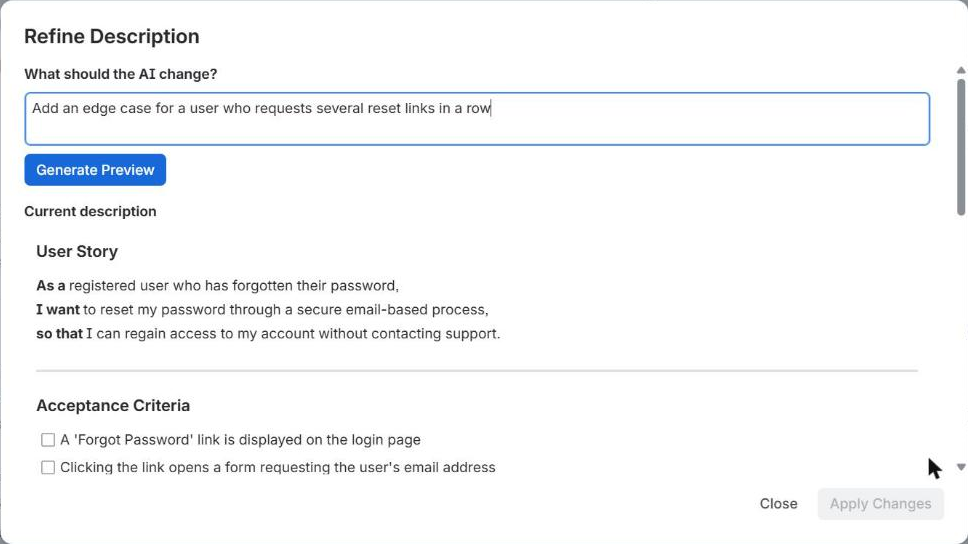
- 3
Review the Diff. Refine again as often as you like; each instruction is listed so you can see what was asked.
- 4
Click Apply Changes. Reject / Revert drops all staged changes and starts again from the current description.
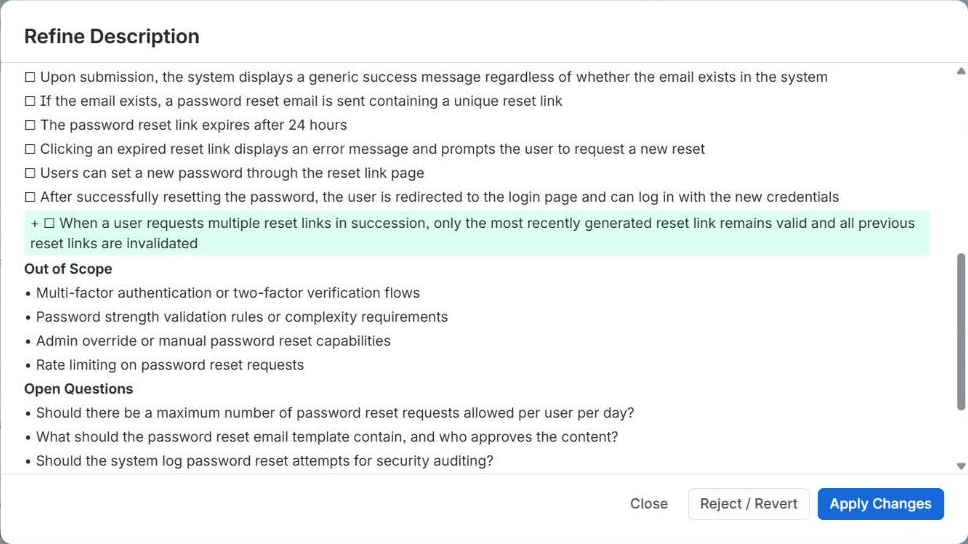
- Edit text (in the Result view) lets you change the proposal yourself. Use
#for headings,-for bullets and[ ]for checklists. Edited text keeps headings, bullets and checklists, but not bold, links or other rich formatting. - If someone edits the description in Jira while you review, StoryCraft applies your version and tells you that it overwrote their change.
Clarify: Grill me and Ask a question
Clarify works on any issue, with or without a description. It has two modes.
Grill me
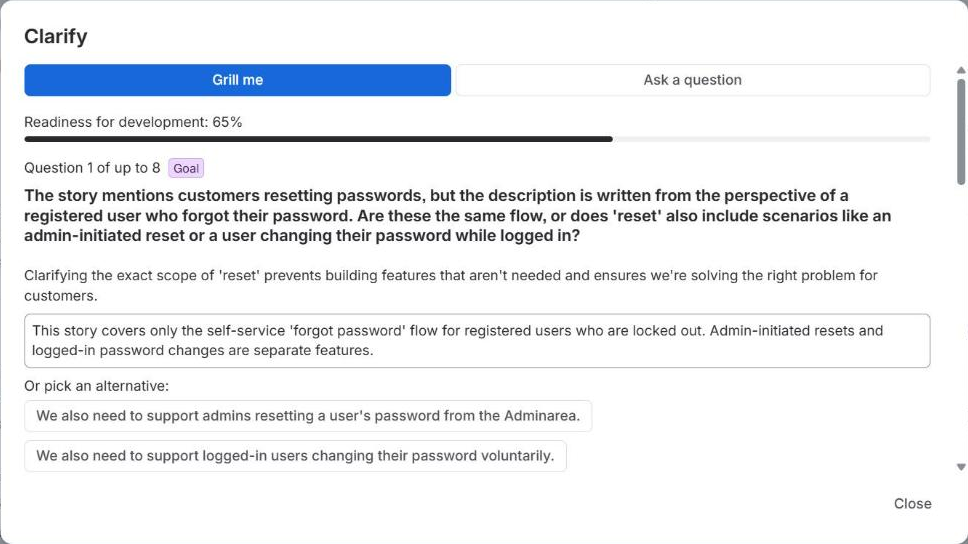
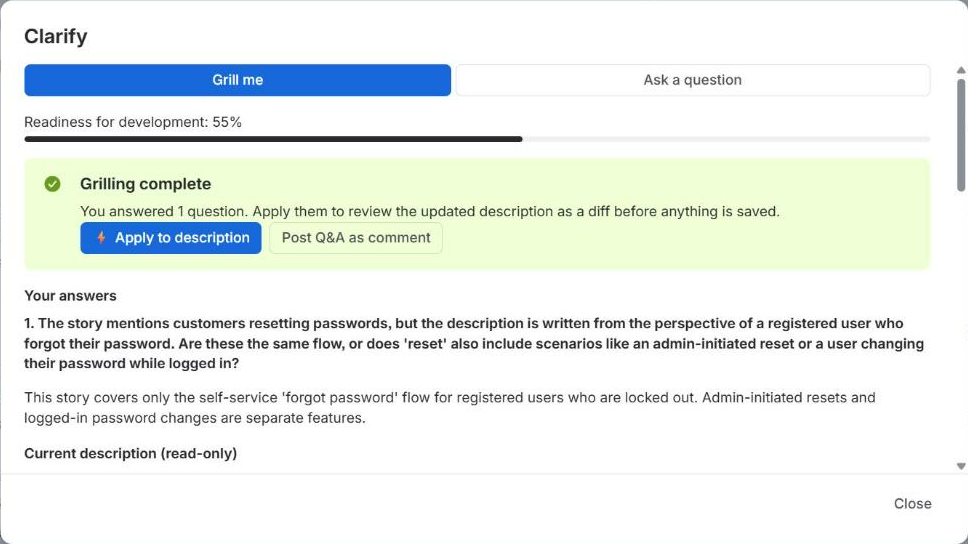
A short interview that fills the gaps in the issue, one question at a time. The questions depend on the issue type:
Stories and other types
Product owner
User value, scope, acceptance criteria and edge cases. Score: readiness for development.
Bugs
QA lead
Steps to reproduce, expected vs. actual behavior, environment and impact. Score: ready to fix.
Epics
Product manager
Goal, target users, success metrics, scope, first release and risks. Score: ready to break down.
- 1
Click Clarify, keep Grill me selected and click Start grilling.
- 2
Accept the suggested answer, pick an alternative or write your own, then click Answer & continue. Skip moves on without an answer.
- 3
After up to eight questions, or when you click That's enough, wrap up, the interview ends.
- 4
Apply to description works the answers into the right sections and opens the diff for review. Post Q&A as comment adds the questions and answers to the issue as a comment.
Ask a question
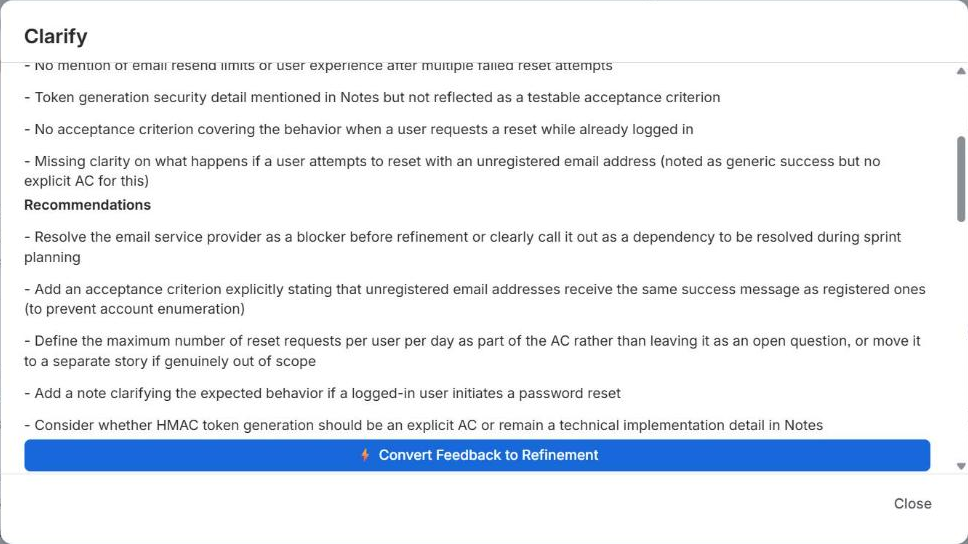
Ask anything about the issue, or click a suggested question for its type, such as Run an INVEST check for stories or Are reproduction steps complete? for bugs. The answer lists Gaps and Recommendations. When it suggests changes, Convert Feedback to Refinement opens Refine Description with a matching instruction.
Break into Stories
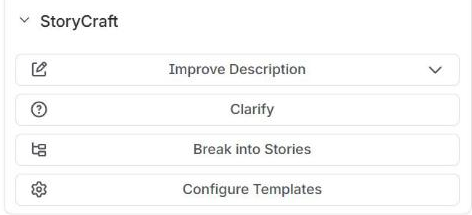
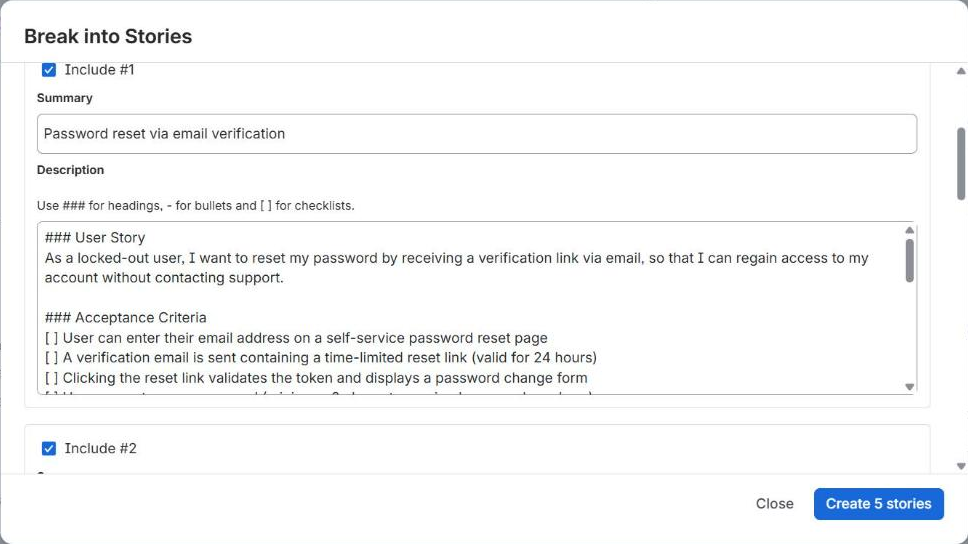
On issues of type Epic, the panel has a Break into Stories button. StoryCraft proposes thin, vertically sliced stories that each deliver value on their own.
- 1
Click Break into Stories. Optionally add guidance, such as "Split by user role" or "MVP first, admin features later".
- 2
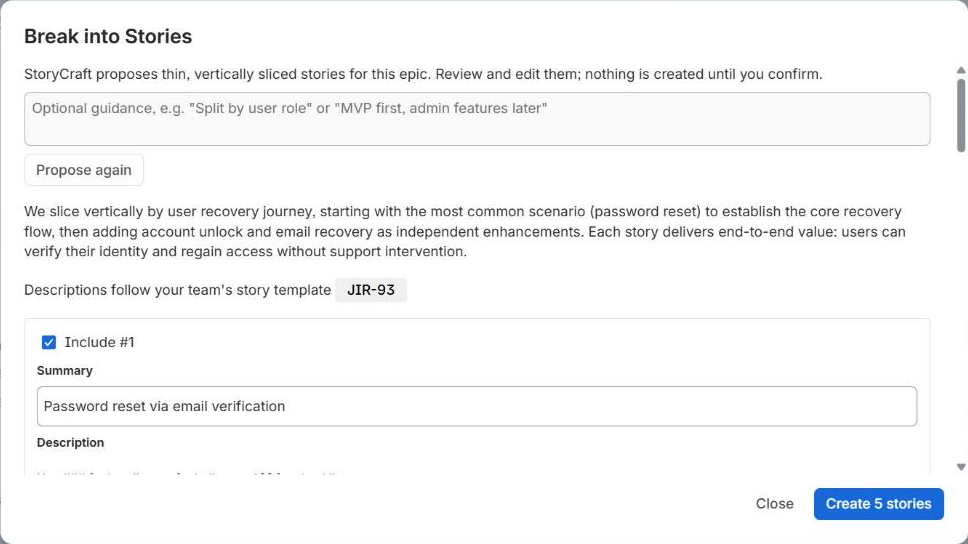
Click Propose stories. StoryCraft proposes up to ten stories, written in your Story template. If the epic already has child issues, it skips the work they cover.
- 3
Edit the summary and description of each story, or untick Include for the ones you don't need. Propose again starts a new proposal.
- 4
Click Create stories. They are created as children of the epic, with links to open each one.
Grill the epic first
Best practices
- Set a template for every issue type your team uses. Applying a template only works as well as the template itself.
- Write a short Project Context and run a glossary scan once. Both improve every feature at no extra effort.
- Use Grill me before refinement meetings: answering eight questions takes a few minutes and surfaces the gaps early.
- Refine in small steps. "Add an edge case for expired links" gives a cleaner diff than "improve the acceptance criteria".
- Read the diff before you click Apply Changes. StoryCraft never saves without you, but it relies on you to check the content.